How to Create an App: Use AI or Hire a Developer?
Learning how to create an app has never been easier in 2026. Thanks to AI and vibe coding tools, almost anyone can turn an idea into an app. There are more ways to build an app now, even if you are just a student working on assignments or a business owner exploring digital transformation.
However, with the abundance of vibe coding tools and access to AI models, choosing the right approach to create an app is as important as launching it.
This article will talk about how to create an app and when to use AI or work with an app development company in Malaysia.
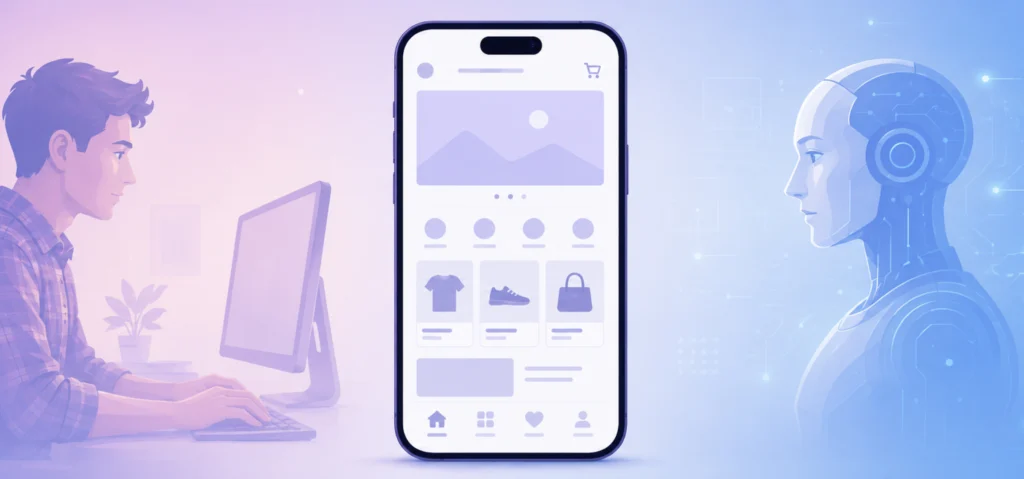
Quick Summary: How to Create an App using AI vs. Developers
- Vibe Coding with AI: Best for students, hobbyists, and early MVP prototypes. It offers low upfront costs but requires manual post-launch troubleshooting, server management, and security oversight.
- Hiring a Developer: Best for business-critical applications processing sensitive customer data. It provides professional software architecture, automated scaling, and ongoing maintenance.
How to create an app in 7 steps
Building an app is not limited to coding. Whether it is vibe coding or engaging with a software development company, every app development project follows the same core steps.
The following is the app development process:
Step 1: Define the app idea

An app must solve a challenge faced by a specific community or execute a certain task. To identify the pain point the app needs to address, ask yourself this question first:
Target audience
Define who will use the app, understand their needs, and learn how they are solving their current problem.
Features needed
Prioritise the essential features needed for the first release. Additional features may be useful later, but they should not distract from the main problem the app needs to solve.
App active users
Decide if this app is meant for the public or only for authorised users. Apps can be made available only to specific users such as employees, distributors, or VIP customers, depending on your end goal.
These decisions will influence how the app will be designed, secured, and deployed for production.
Step 2: Choose a development method

The right way to build the app depends on your technical knowledge, budget, project complexity, and long-term goals.
Vibe coding tools
Tools like Lovable, Netlify, and Vercel allow anyone to build prototypes or simple applications. These tools require prompts to generate code for the app and explain programming concepts.
Native coding
Unlike vibe coding, native coding gives complete control over deciding how an app works. This is the best and preferred approach for business-critical apps that require strong security, custom integrations, and long-term growth.
At Red Ant Technology Sdn Bhd, our mobile app development service includes building and integrating apps into your existing workflow, processing sensitive customer information, and providing long-term technical support—something that cannot be achieved through vibe coding and a one-man army.
Step 3: Design screens and user journey

An app design must focus on creating a user experience that guides users naturally from one task to the next. A UI/UX designer will create prototypes to visualise the app’s layout, navigation, and user flow.
Step 4: Develop the app
The development process focuses on different components, such as the frontend, backend, database, and API integrations that turn a prototype into a working application.
Frontend development
The frontend development focuses on building the user-facing part of the app that users interact with. A professional frontend developer will implement the interface, navigation, animations, and responsive layouts based on the approved UI/UX design.
Backend development
Backend powers the behind-the-scenes of an app that handles business logic, user authentication, data processing, notifications, and communication between the app and external services.
Database
A database stores and manages application data such as user accounts, content, and transactions.
APIs
APIs enable communication with third-party services like payment gateways, maps, SMS providers, email services, and AI models (if an app requires any AI workflow).
Step 5: Conduct testing

Test the app beforehand to identify bugs and ensure a smooth user experience across different devices and operating systems. This is also the best chance to review if the app needs any features that need to be added.
Functional testing
Verifies core app functions such as user registration, login, navigation, and payments work as intended.
Performance testing
Measures if an app stays fast, stable, and responsive under conditions such as high user traffic, slow network connections, and heavy workloads.
Security testing
Identifies vulnerabilities that could expose sensitive data or enable unauthorised access, and measures to protect against common security threats. Common tests include PEN tests, vulnerability assessments, and jailbreak detection.
User Acceptance Testing (UAT)
Final validation phase where stakeholders or selected end users verify that the app meets the business requirements and is ready for production before launch.
Step 6: Deploy to app stores
The app is ready for submission to the Apple App Store and Google Play once the UAT is finalised. Both app stores will review the submission to ensure it meets security standards and platform guidelines.
Public submission
Prepare the app name and descriptions that are optimised with relevant keywords, along with an icon, app screenshots, and a privacy policy. This is highly recommended for app discoverability.
Private submission
Since private apps are designed for authorised users, focus less on app store optimisation. Once verified and published, share the download link with authorised users or clients.
You can choose to submit an app publicly even if it is meant for a smaller pool of users. However, due to Apple’s strict verification policies, if the app is flagged for internal use, then it will be published privately.
Step 7: Maintain app after launch
The app must be optimised for performance and feature updates, bug fixes, and security patches regularly. Proper maintenance ensures the app remains secure and compatible across all devices.
How to create an app for free?
You can code an app for free with AI, where you don’t pay software agencies for app development services. However, creating an app for free is unrealistic.
Costs you cannot avoid when creating an app

Even with a tool’s free plan, you cannot build a production-ready application. Apps involve ongoing operational costs. The exact expenses depend on the app’s features, usage, and infrastructure requirements.
The following are the most common costs in building an app:
AI model or vibe coding tool subscription
Tools such as Claude, ChatGPT, Netlify, or Vercel offer a free plan. But for app development, you will need advanced models with higher usage limits and premium features. Hence, you will need a paid subscription.
AI tokens
AI models and vibe coding tools charge based on token or credit usage. Intensive coding tasks, long conversations, and large codebases will consume a lot of tokens. As the app you build becomes more complex, you may need to purchase additional tokens, exceeding your initial budget.
Hosting
Most production apps require cloud hosting (like AWS or Google Cloud) to run backend services, databases, and file storage. As user traffic and application usage grow, additional resources and upgrades may be needed, resulting in higher hosting costs.
Third-party apps
If your app requires a payment gateway, AI models, or an SMS provider, you will need to pay a subscription fee or usage-based fee to access their services. For example, if your app requires Stripe global payment service, you get charged a 3% cut of the total sale + a flat RM1 fee.
Domain name
You will likely need a domain name for a website if you are a startup. Premium domains often cost significantly more than standard registrations. You may also need to renew it annually,
Apple Developer Programme & Google Play Console
Publishing an app requires a developer account. Apple charges an annual membership fee, while Google Play requires a one-time registration fee.
Does that mean I cannot create an app with AI?
You can use AI to vibe code many fun and practical app projects. Moreover, vibe coding is a great start to learn app development, especially for beginners who want to understand programming concepts and software architecture through hands-on experience.
Best use cases for using AI to create an app
You can use AI to turn a simple idea or your routine tasks into functional apps for everyday use:
- Productivity apps: Habit tracker, expense tracker, to-do lists, journal app.
- Learning apps: Language learning app, vocabulary app, flashcard app, quiz apps.
- Utility apps: Unit converter, currency converter, calculator, QR code generator.
There is no restriction on what app you want to build with AI. However, when it comes to complex business applications, you still need professionals to design and develop scalable architectures and implement business logic.
Should I build an app with AI or hire a developer?
If it is a simple app, then you can vibe code it. But if your app is intended for business operations, processes sensitive data, and requires long-term scaling, then hiring experienced software developers is the right choice in the long run.
| Criteria | Use vibe coding and AI to build yourself | Hire a professional development team |
|---|---|---|
| Best suited to | Prototypes, learning, and personal tools | Customer-facing and business-critical apps |
| Upfront cost | Lower | Higher |
| Post-launch cost | Identify, subscribe to, and manage services yourself | Identified and budgeted in the project quotation, with renewals tracked and managed during ongoing maintenance. |
| Security and compliance | You are responsible for reviews and controls | Planned, tested, and documented |
| Scalability | Depends on your technical expertise | Architecture designed for growth |
| Maintenance | Regularly monitor, debug, and maintain the app yourself | Ongoing professional support, scheduled monitoring, bug fixes, and code maintenance handled |
Build it yourself if:
- You are a student: Experiment with the full-stack app development process through hands-on practice.
- You want to test an idea: Build a Minimum Viable Product (MVP) to gather feedback and validate demand before investing in professional development.
- It is a hobby project: Turn a simple idea into a working application for personal use or a side project.
Hire software developers if:
- It’s for business: Requires proper planning and architecture to support daily operations and solve complex business challenges.
- Handles sensitive customer data: Process payments or store personal information based on secure development practices to protect both your business and users.
- Need integration or scale: Develop apps that support integration with existing business systems and support future growth without costly rebuild.
Choose the right way to create your app

With access to AI, learning how to create an app through vibe coding has become easier. However, it’s important to understand that AI is not a complete replacement for professional app development services.
A software development company like Red Ant Technology will guide and provide the best solution for your complex business challenges. You won’t just be paying for their service, but also for their extensive experience, along with a long-term partnership in growing your company with software solutions.
In summary, knowing how to create an app is no longer the biggest challenge. Understanding when you need AI and when you need a software development company have a far greater impact on your app’s long-term success.
Frequently Asked Questions
Can I build an app with ChatGPT or Claude?
Yes, ChatGPT or Claude can help build an app by generating code, debugging errors, explaining programming concepts, and assisting throughout the development process. However, they do not provide an end-to-end app development environment that builds and manages the entire application from a single prompt.
Can I create an app for free?
You can use free AI tools and vibe coding platforms to start building an app without paying for professional development services. However, creating and launching a production-ready app is rarely completely free, as costs such as AI usage, hosting, domains, third-party services, and app store developer accounts may still apply.
Even when the code is generated with AI, the infrastructure and services required to run the app still cost money.
How long does it take to create an app?
The time required to create an app depends on its complexity, features, design requirements, integrations, and testing needs. A simple app may take a few weeks to develop, while a complex business application can take several months or longer.
The development timeline may also change as new requirements are identified during design, development, and testing.
Do I need coding skills to create an app?
AI and vibe coding tools allow beginners to create simple apps with little coding experience by generating code based on prompts. However, basic coding knowledge and an understanding of app development become increasingly important when debugging errors, modifying complex features, integrating third-party services, or maintaining the app as it grows.
For complex or business-critical applications, professional development expertise is still recommended.
Need a professional team to build your app?